NeoCell Meet Your Maker Anti-Cheat Override Guide
1. First, download the anti-cheat file by clicking on the "Anti-Cheat Download" button below or copying the URL listed below into your browser.
https://dl.cmcccmcc.com/tools/MeetYourMaker.zip
2. After downloading, extract the file directly to the game's root directory. Then open Steam, locate Meet Your Maker, right-click the game and select "Manage", then click "Browse Local Files" to navigate directly to the game's root folder.
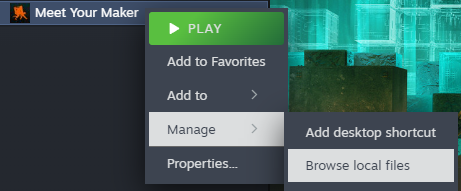
3. Copy the extracted file "EACpass.exe" into the game's root directory.
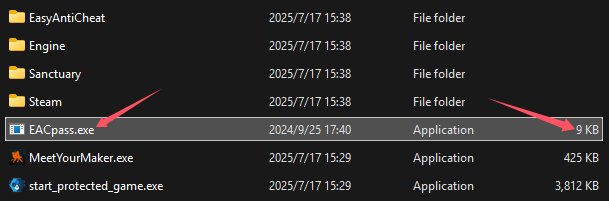
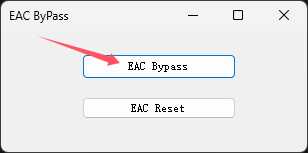
4. Run this file and click the "EAC Bypass" button on its interface.
5. Once completed, click "Play" on the game page in Steam to launch the game. After entering the game, open the NeoCell software and click "Add a BUFF" to make modifications within the game.
Note: To restore the original state, click the "EAC Reset" button.
