NeoCell Watch_Dogs2 Modifier Anti-Cheat Disable Operation Process
Uplay Version
1. Click on "Game Properties" in Uplay, then click on the game's launch parameters.
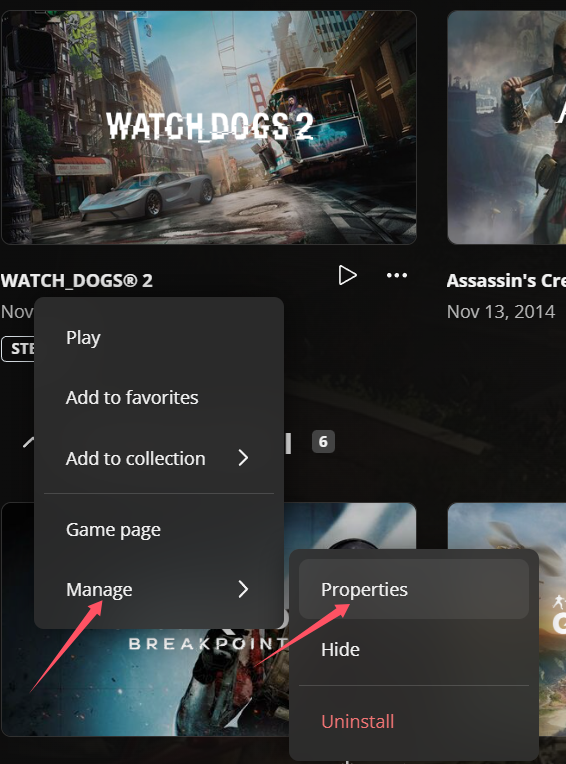
2. Enter -eac_launcher and click save. Note that there is a space before it. After saving, it will look like the image below:
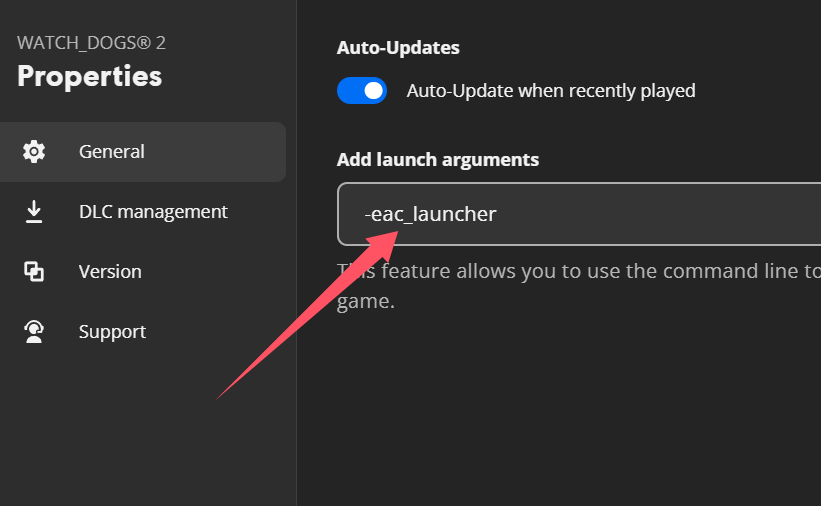
3. Then click "Start Game," enter the game, open the NeoCell software, and click "Add a BUFF" to make modifications within the game.
Steam Version
1. Right-click the game in Steam and go to "Properties."
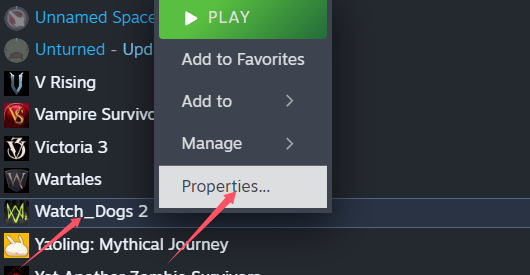
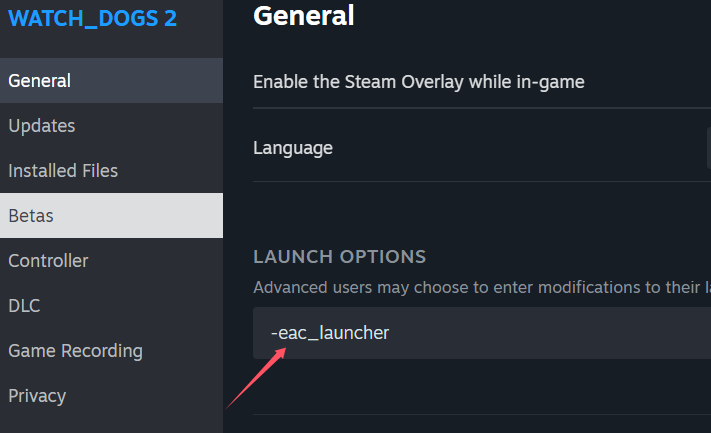
2. Click on General, then set the launch options. Enter -eac_launcher and click OK.
Note that there is a space before it.
3. Then click "Start Game," enter the game, open the NeoCell software, and click "Add a BUFF" to make modifications within the game.
