Conan Exiles Modifier Anti-Cheat Disable Operation Process
Step-by-Step Guide
1. First, open Steam and locate the game Conan Exiles, then click Play.
2. A dialog box will appear. Click the More button, then check the box for Disable BattlEye.
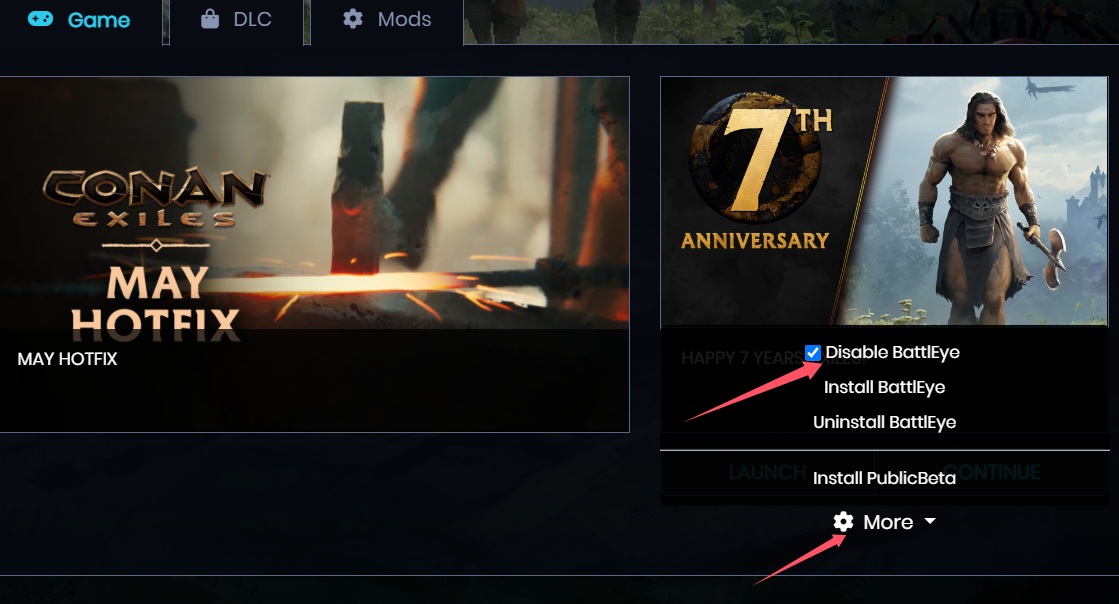
3. After that, select CONTINUE or LAUNCH. Once you're in-game, open the NeoCell software and click "Add a BUFF" to make modifications within the game.
