NeoCell Halo: The Master Chief Collection Trainer Anti-Cheat Disable Operation Process
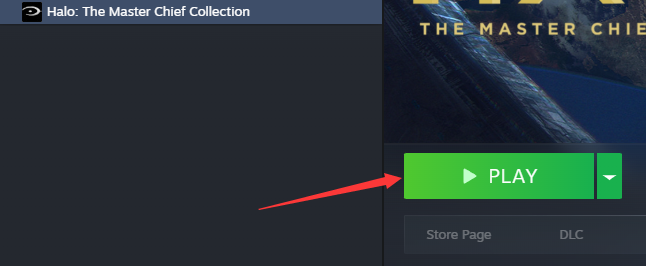
1. First, open Steam, find the Halo Collection game, and click Start Game.
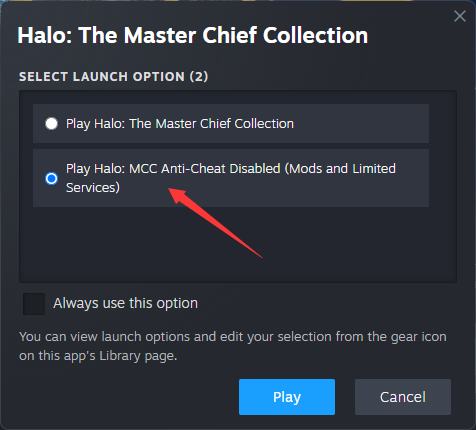
2. When the following window appears, select “Play Halo: MCC Anti-Cheat Disabled” and click “Start.”
3. Once in the game, open the NeoCell software and click “Add a BUFF” to modify settings within the game.
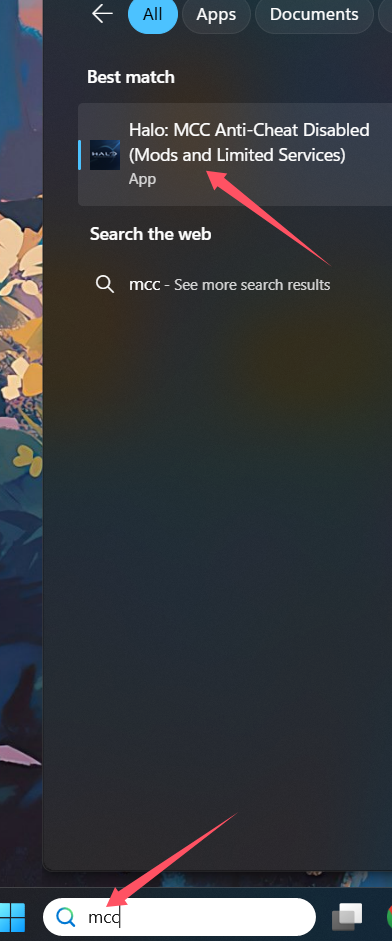
If using the Xbox Game Pass platform, select “Halo: MCC Anti-Cheat Disabled (Mods and Limited).”
PC Xbox Platform
1. On your PC, open the Xbox App or game library.
2. In the search bar, type MCC.
3. Locate and click on Halo: MCC Anti-Cheat Disabled (Mods and Limited Services).
4. Launch the game from there.