NeoCell Tom Clancy’s Ghost Recon: Wildlands Modifier Anti-Cheat Operation Process
Steam Platform
1. First download the anti-cheat file by clicking on the Anti-Cheat Download link below, or copy the URL into your browser to download:
https://dl.cmcccmcc.com/tools/GhostReconWildlandsSteam.zip
2. Open Steam and locate Tom Clancy’s Ghost Recon: Wildlands.
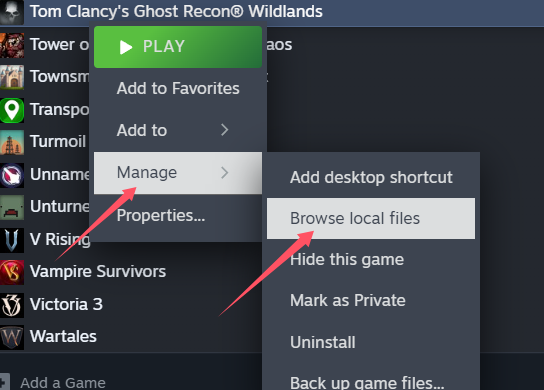
3. Right-click the game, then go to Manage > Browse Local Files to access the game's root directory.
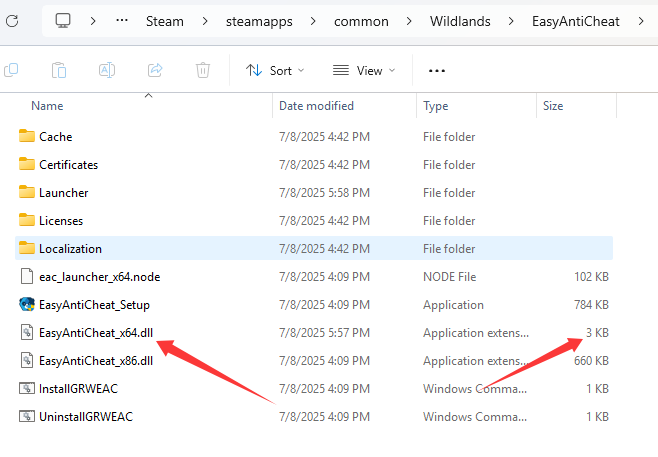
4. Extract the downloaded file and copy EasyAntiCheat_x64.dll into the EasyAntiCheat folder in the game directory, replacing the existing file.
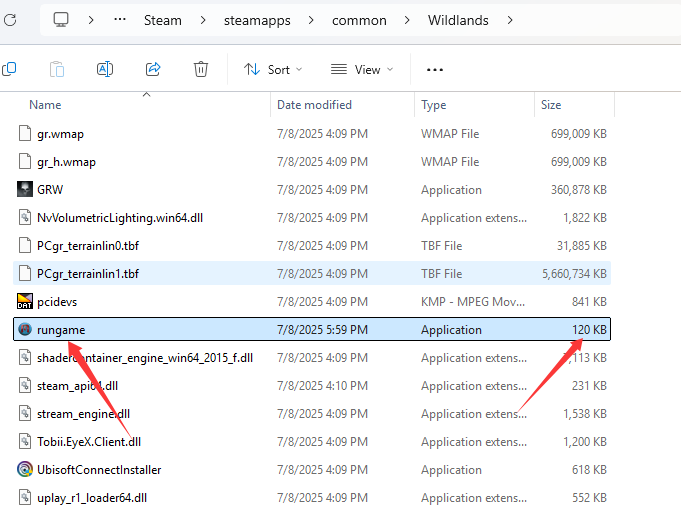
5. Then copy the file rungame.exe into the game's root directory, replacing the original file.
⚠️ Note: This is a different directory than the EasyAntiCheat folder.
6. Launch the game via Steam. Once the game is running, open NeoCell and click "Add a BUFF" to inject successfully.
⚠️ Note: It is highly recommended to back up both EasyAntiCheat_x64.dll and rungame.exe before replacement.
---
Uplay Platform
1. First download the anti-cheat file by clicking on the Anti-Cheat Download link below, or copy the URL into your browser to download:
https://dl.cmcccmcc.com/tools/GhostReconWildlandsUplay.zip
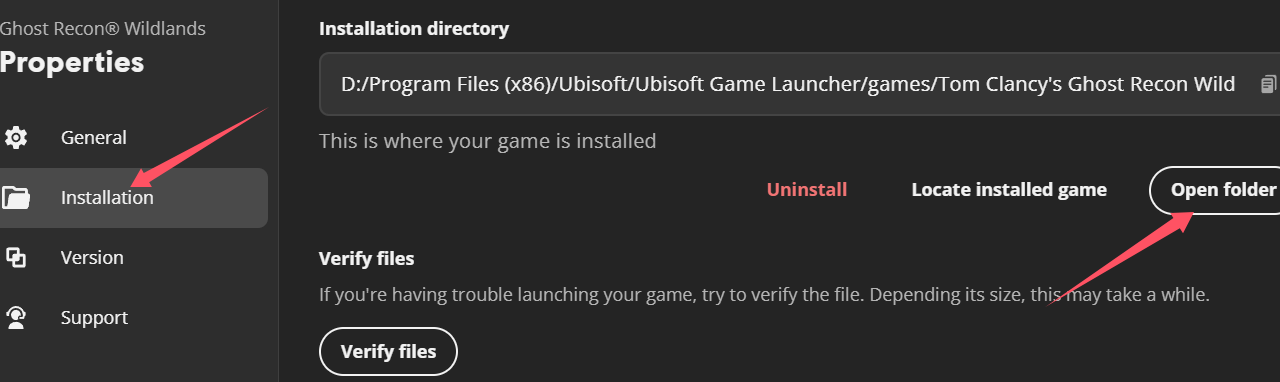
2. After downloading, extract the files to your desktop or another folder. Open Uplay, right-click the game in your Uplay library, and select Manage > Properties.
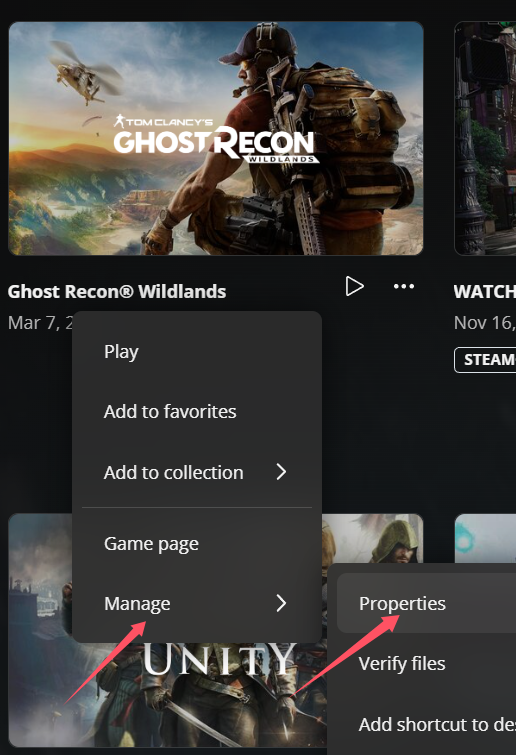
3. In the Properties tab, click Install Location > Open Folder.
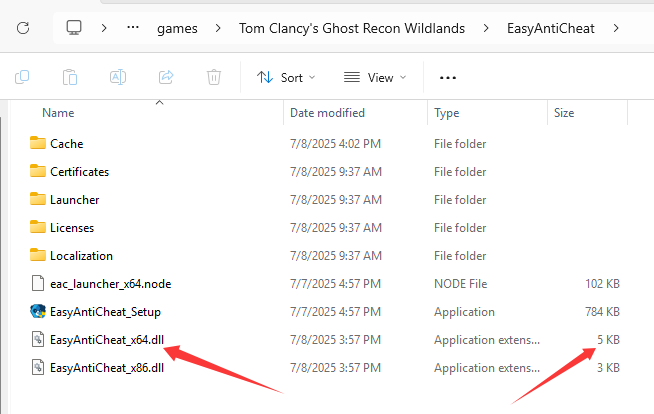
4. Copy the files EasyAntiCheat_x64.dll and EasyAntiCheat_x86.dll from the extracted folder into the EasyAntiCheat folder in the game directory, replacing the existing files.
5. Once replaced, launch the game through Uplay. When inside the game, open NeoCell and click "Add a BUFF" to make in-game modifications.
⚠️ Note: If you wish to restore the original files later, you can either verify the game files through Uplay or use your own backups of EasyAntiCheat_x64.dll and EasyAntiCheat_x86.dll**.
