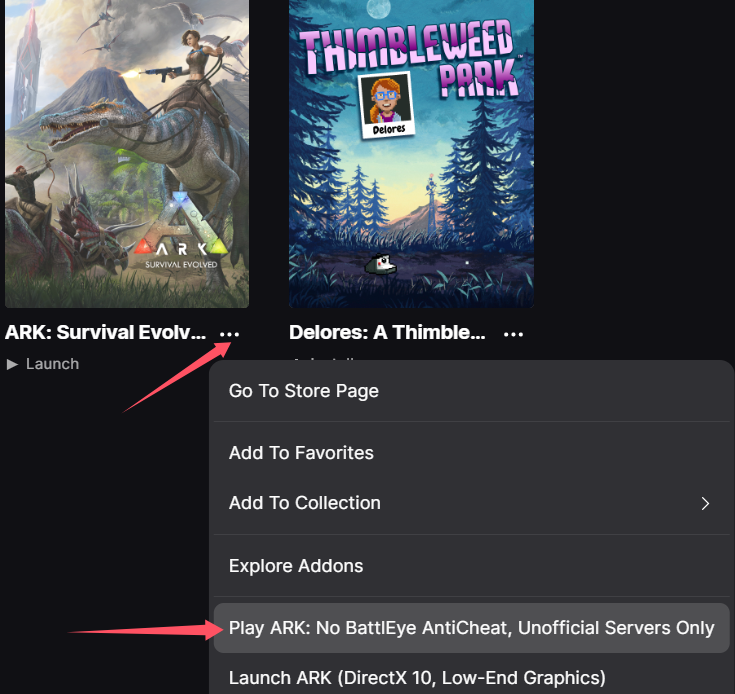
ARK: Survival Evolved Modifier Anti-Cheat Disable Operation Process
Steam Platform
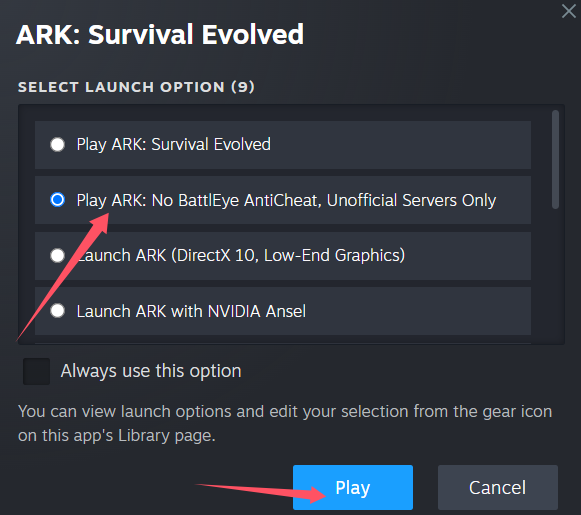
1. First, open Steam and find the game ARK: Survival Evolved. Click Play.
2. When the window below appears, select the option "Play ARK: No BattlEye AntiCheat, Unofficial Servers Only", then click Play.
---
Epic Games Platform
1. Click the ... (ellipsis) icon located at the bottom-right or right side of the game icon to open the launch options.
2. Select the option "Play ARK: No BattlEye AntiCheat, Unofficial Servers Only" to start the game.