Sword Art Online: Fractured Daydream Modifier Anti-Cheat Disable Operation Process
Step-by-Step Guide
1. First, download the anti-cheat file by clicking on the Anti-Cheat Download link below, or copy the URL into your browser to download:
Anti-Cheat Download
https://dl.cmcccmcc.com/tools/FracturedDaydream.zip
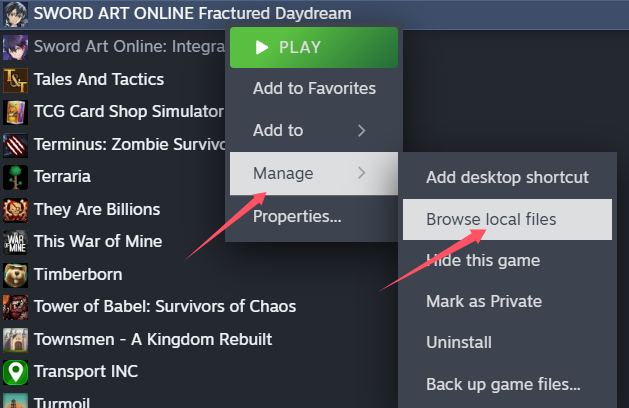
2. After downloading, extract the files to your desktop or any other folder. Then open Steam, find Sword Art Online: Fractured Daydream, right-click on it and select Manage > Browse Local Files.
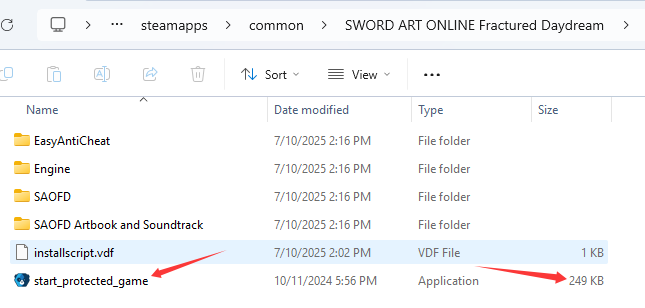
3. Copy the file "start_protected_game.exe" into the game's directory and replace the existing file.
4. Once the copy is complete, click Start Game on Steam. After entering the game, open the NeoCell software and click "Add a BUFF" to make modifications within the game.
