NeoCell Dragon Ball FighterZ Modifier Anti-Cheat Override Guide
1. First, download the anti-cheat file by clicking the "Anti-Cheat Download" button below or copying the URL listed below into your web browser.
https://dl.cmcccmcc.com/tools/%E9%BE%90%E7%8F%A0%E6%96%97%E5%A3%ABZ.rar
2. After downloading, extract the file to your desktop or another folder. Then open Steam, locate Dragon Ball FighterZ, right-click on the game, and select "Properties".
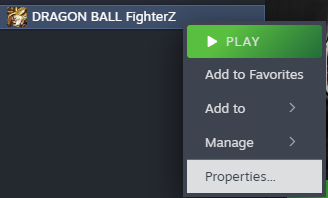
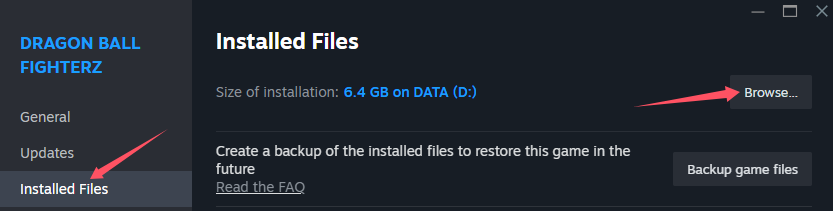
3. Click on "Local Files", then click "Browse Local Files" to navigate directly to the game's root directory.
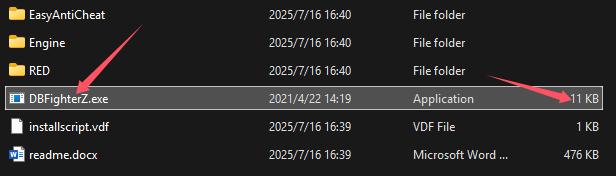
4. Copy the extracted file "DBFighterZ.exe" into the game's root directory to replace the existing file.
5. Once copying is complete, click "Play" on the game page in Steam to launch the game. After entering the game, open the NeoCell software and click "Add a BUFF" to make modifications within the game.
Note: If you need to restore the original file later, go to the game properties, click "Local Files", and then click "Verify Integrity of Game Files". Alternatively, you can back up the "DBFighterZ.exe" file beforehand.
