NeoCell F1 25 Anti-Cheat Bypass Guide
1. First, download the anti-cheat bypass file by clicking on "Anti-Cheat Download" below or copy the URL into your browser to download:
https://dl.cmcccmcc.com/tools/F125bypass.zip
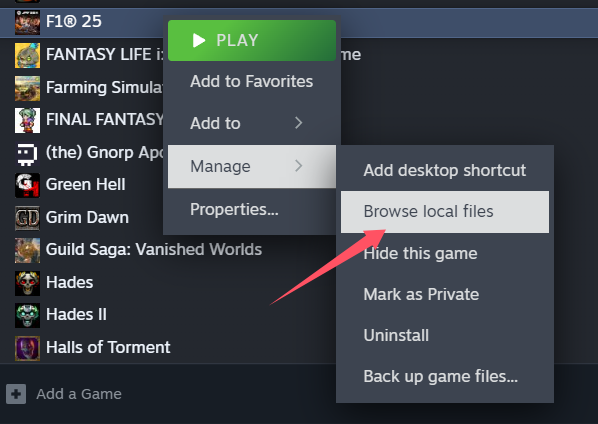
2. After the download completes, extract the file to your desktop or another folder. Then open Steam, find **F1 25**, right-click the game and select **Manage > Browse Local Files** to locate the game’s root directory.
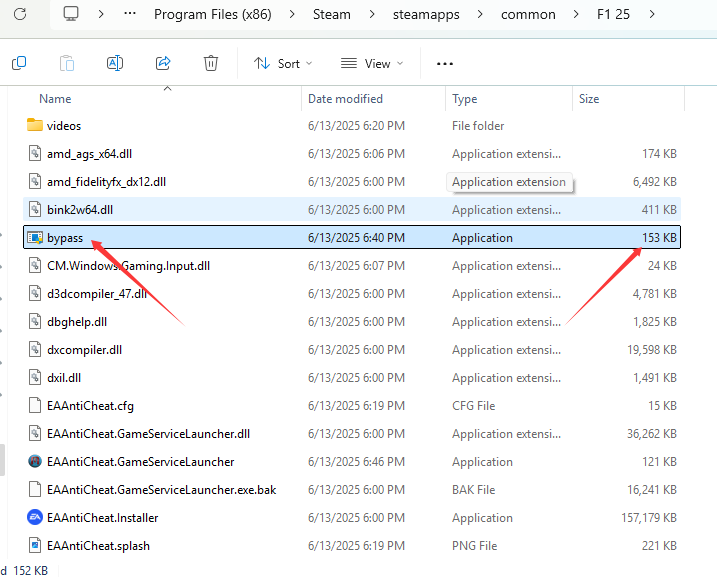
3. Next, copy the extracted file **bypass.exe** into the **F1 25** folder inside the game's root directory.
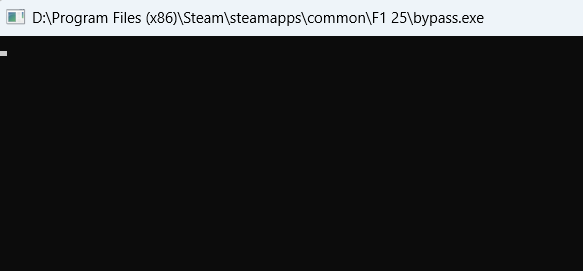
4. Run **bypass.exe** as an administrator.
5. Once this is done, you can click **Play** on the game in Steam.
6. After entering the game, open the **NeoCell** application and click **“Cell” (Apply a Buff)** to make modifications within the game.
