GTA5 Grand Theft Auto V how to disable BE anti-cheat
Method 1: Set via Steam
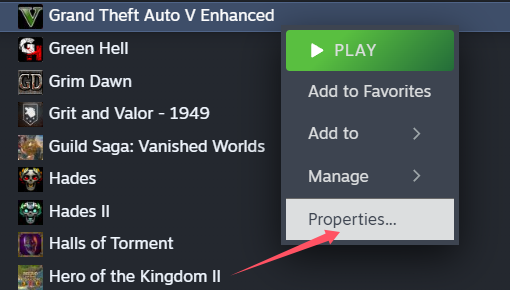
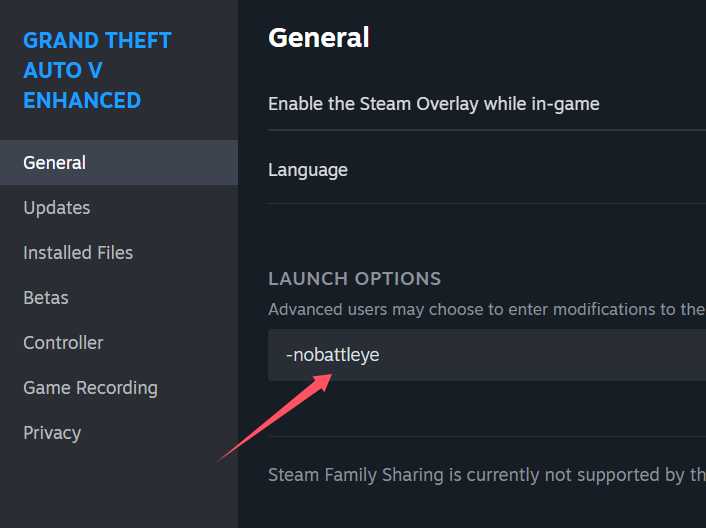
Right-click on Grand Theft Auto V (GTA 5) in your Steam library, select Properties, go to the General tab, and under Launch Options, enter the following command:
-nobattleye, Make sure there is a space before the command if you already have other launch options.
---
Method 2: Set via Rockstar Games Launcher
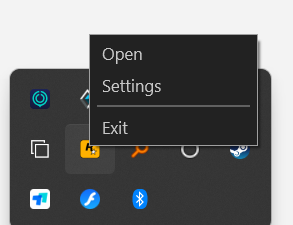
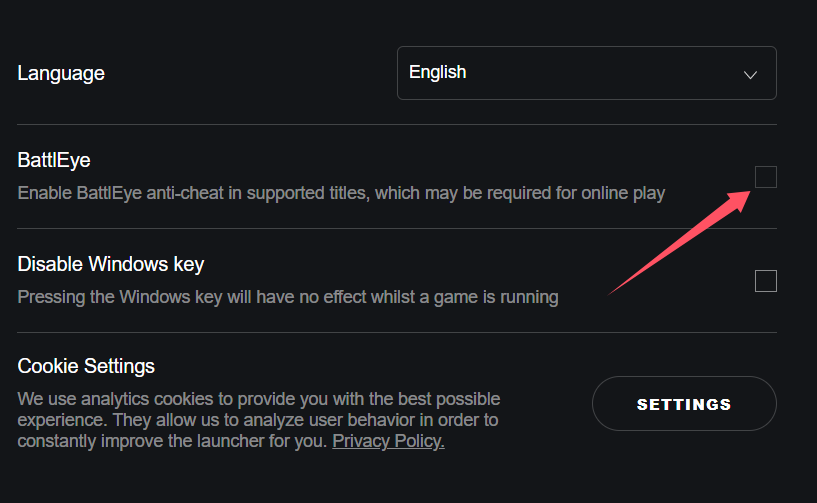
Open the Rockstar Games Launcher, go to Settings > Launcher, and uncheck the option for BattlEye Anti-Cheat.
After completing the settings, restart the game. Once you've entered the game, click Apply a BUFF in the NeoCell software to make in-game modifications.
