NeoCell Tom Clancy's Ghost Recon Breakpoint Trainer Anti-Cheat Operation Process
Steam Platform
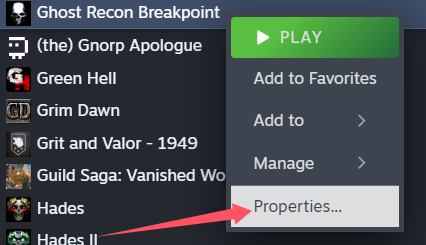
1. Right-click the game in Steam, then go to "Properties".
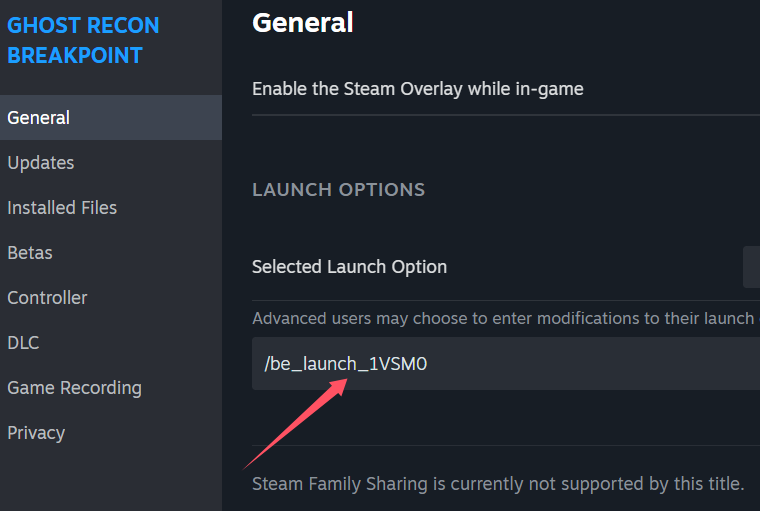
2. In the General section, enter /be_launch_1VSM0, then click Start Game.
---
Uplay Platform
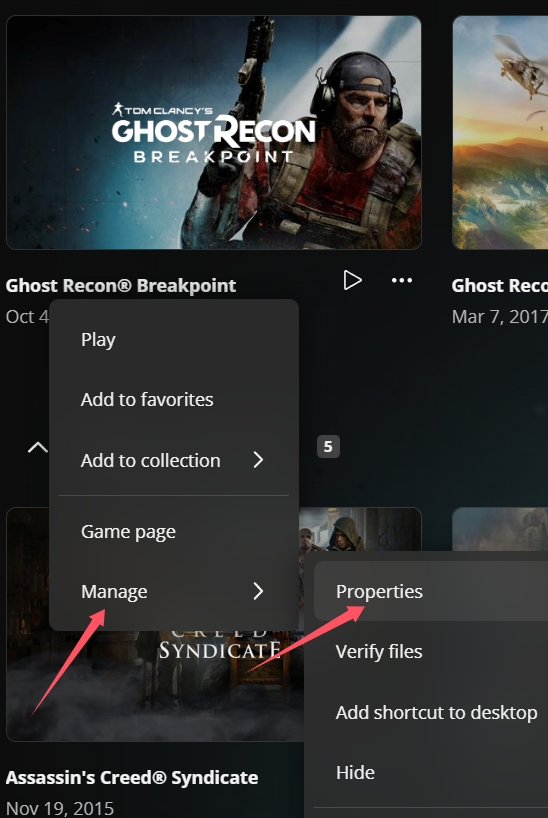
1. In the Uplay game library, right-click the game and select Manage > Properties.
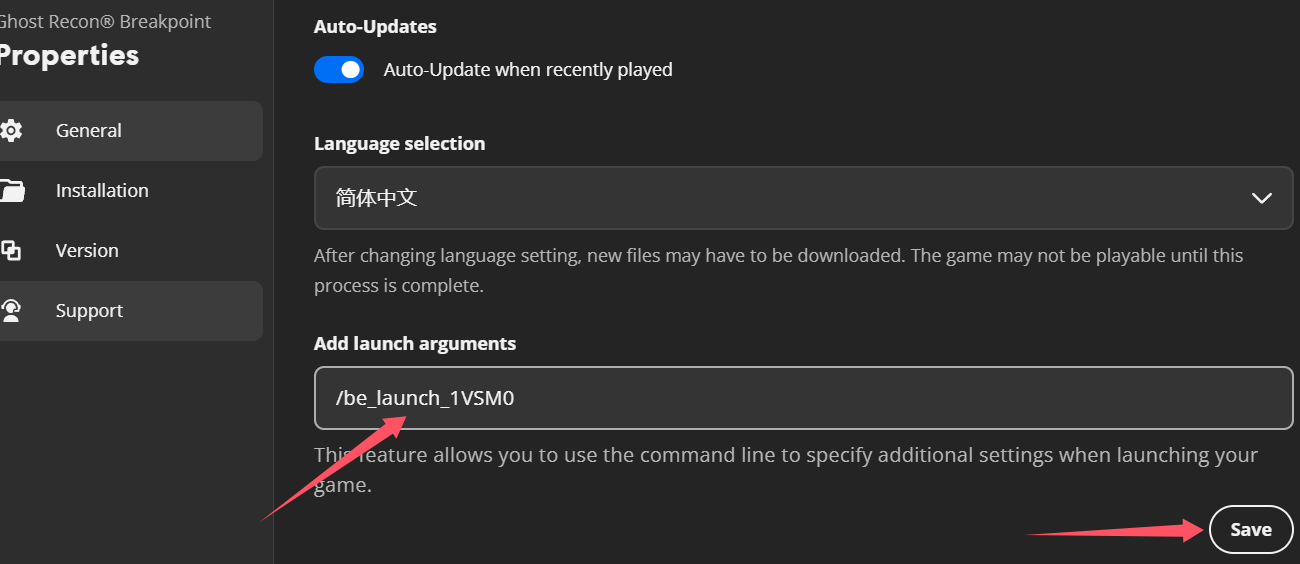
2. Go to the General section and add the launch parameter /be_launch_1VSM0, then click Save.
---
Epic Platform
1. First download the anti-cheat file. Hold down Ctrl and click the anti-cheat download link below, or copy the URL into your browser to download:
https://dl.cmcccmcc.com/tools/GRB_BE.zip
2. After downloading, extract the file to your desktop or another folder.
3. Then copy the extracted file GRB_BE.exe into the game's root directory (Ghost Recon Breakpoint) as GRB_BE.exe.
4. Choose to replace the existing file, then double-click to run GRB_BE.exe.
