NeoCell Wild Renegades Mod Anti-Cheat Override Process
1. Click the URL below to download the anti-cheat files;
https://dl.cmcccmcc.com/tools/OutlawsoftheOldWest.zip
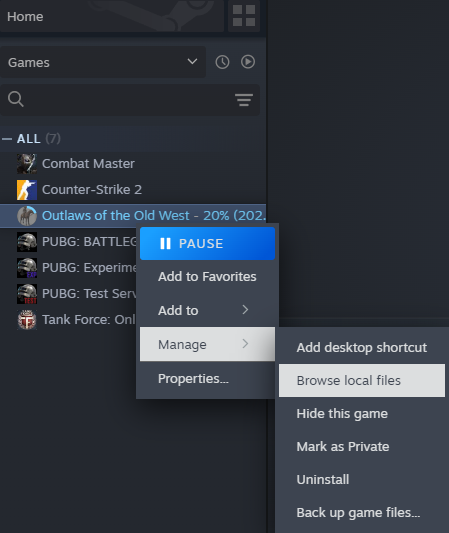
2. After downloading, extract the files to the desktop or another folder. Open Steam, locate "Outlaws", right-click the game, go to "Properties" → "Browse Local Files" to find the game's root directory.
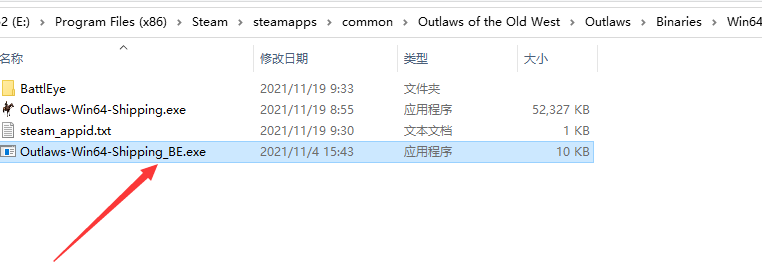
3. Copy the extracted file `Outlaws-Win64-Shipping_BE.exe` to the game's root directory `Outlaws\Binaries\Win64` and replace the existing file.
4. After completion, click "Start Game" on Steam to launch the game. Once in-game, open NeoCell and click "Add a BUFF" to modify settings. **Note**: To restore files, go to game properties, click "Local Files" → "Verify Integrity of Game Files", or restore from a backup of `Outlaws-Win64-Shipping_BE.exe`.
